 DreamGame
Product preview
Get your game
off the page.
DreamGame helps you direct a team of AI agents inside your Godot project. You choose what to build next and put it to the test by playing it.
How DreamGame works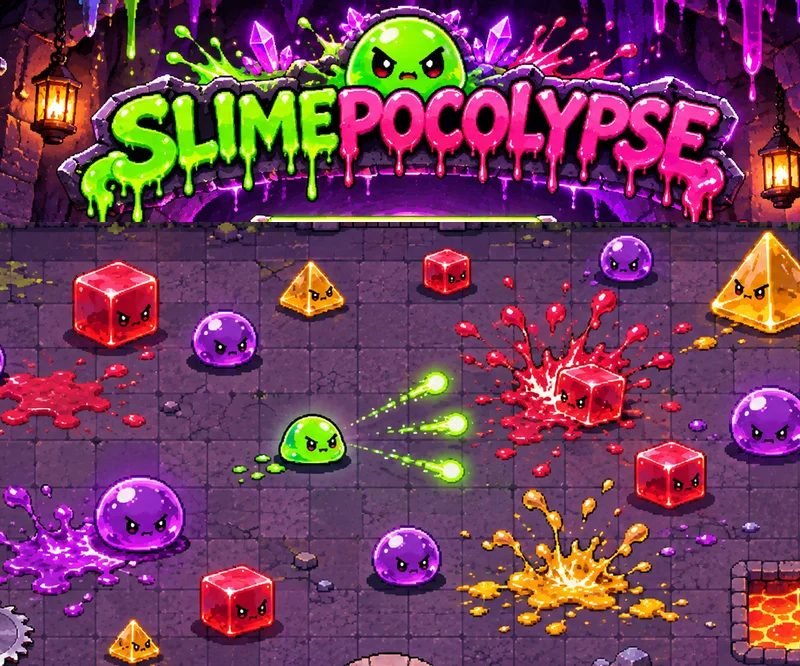
Inside DreamGame
From the brief to the playtest
Start with what you have
A design doc, a few sketches, or a list of changes for a game you already have. DreamGame turns those notes into a plan you can review and prioritize.
Follow the build
Choose the work to start. The dashboard shows what the agents are building and checking, what’s waiting on another change, and where they need a decision from you.
Give it a play
A dash can pass its checks and still feel too slow. Open the build in Godot, try it for yourself, and use what you learn to shape the next round of work.
Featured game
Slimepocalypse
We started with a one-page brief and four pieces of concept art. We used DreamGame to build Slimepocalypse, a dungeon shooter where you dash through a crowd of slimes, crack open a chest, and pick your next upgrade by walking through a door.
- Engine
- Godot
- Genre
- Top-down shooter
Build notes
What made it
into the game?
Four doors, four upgrades
Clear a room and every exit opens. West adds damage. South makes you fire faster. North gives you health. East gets your dash ready sooner and buys you a little breathing room after a hit.
Sixteen ways to fire
Shoot the chest to see what drops. A Ricochet shot bounces off walls. A Boomerang curves back toward you. Swap in the new pattern or take your old favorite into the next room.
A finish line, or one more room
Clear level 100 to finish a Standard run. In Endless, the rooms keep coming until you go down. Your best depth is saved locally for the next attempt.